Walt Morey Sports
WALT MOREY MIDDLE SCHOOL WINTER SPORTS 2025
WRESTLING
Tryouts
There are no tryouts for wrestling. Any student who would like to participate may join.
Season Dates
The wrestling season will begin in late January. Exact start dates will be shared soon via ParentSquare and on the school website.
Practice Schedule
Practices will be held Monday–Friday from 3:15–5:00 PM.
Requirements
All wrestlers must have Final Forms completed before attending practice.
GIRLS BASKETBALL
Tryouts
January 27–29
3:15–5:00 PM
Team Selection
Athletes will be notified at the end of tryouts on Thursday, January 29 if they made the team.
Practice Schedule
Once selected, the team will practice Monday–Friday from 3:15–5:00 PM, including Fridays.
Requirements
Students must have Final Forms completed in order to try out.
FINAL FORMS & SPORTS PHYSICALS
All athletes must have Final Forms completed, including a current sports physical, on file with Walt Morey Middle School in order to participate in tryouts or practices.
Sports physicals are valid for two years.
Thank you for helping ensure a smooth and successful sports season!
Press FinalForms link in blue below to start the process.
Athletic Clearances
WMMS parents/guardians and students must complete athletic clearance forms through FinalForms.
Students must have a valid (within two years) physical on file and a current insurance policy carrier and policy number on file to be medically cleared. Athletics will also run a grade check before any student-athlete is cleared to participate in sports.
Parent Playbook
Parent registration
How do I sign up?
-
Go to: https://reynolds-or.finalforms.com/
-
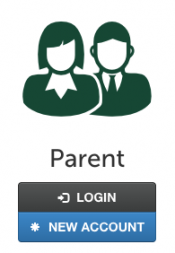
Locate the parent icon and click NEW ACCOUNT below.

-
Type your YOUR NAME, DATE OF BIRTH, and EMAIL. Next, click REGISTER.
NOTE: You will receive an email within 2 minutes prompting you to confirm and complete your registration. If you do not receive an email, then check your spam folder. If you still can not locate the FinalForms email, then email support@finalforms.com informing our team of the issue.
-
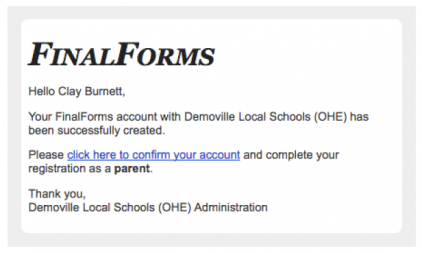
Check your email for an ACCOUNT CONFIRMATION EMAIL from the FinalForms Mailman. Once received and opened, click CONFIRM YOUR ACCOUNT in the email text.

-
Create your new FinalForms password. Next, click CONFIRM ACCOUNT.
- Click REGISTER STUDENT for your first child.
Registering a student
What information will I need?
Basic medical history and health information. Insurance company and policy number. Doctor, dentist, and medical specialist contact information. Hospital preference and contact information.
How do I register my first student?
IMPORTANT: If you followed the steps on the previous page, you may jump to Step 3.
-
Go to: https://reynolds-or.finalforms.com/
-
Click LOGIN under the Parent Icon.
-
Locate and click the ADD STUDENT button.
-
Type in the LEGAL NAME and other required information. Then, click CREATE STUDENT.
-
If your student plans to participate in a sport, activity, or club, then click the checkbox for each. Then, click UPDATE after making your selection. Selections may be changed until the registration deadline.
-
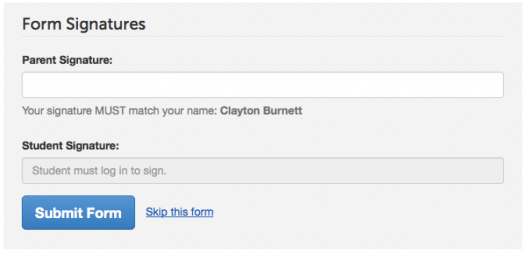
Complete each form and sign your full name (i.e. ‘Jonathan Smith’) in the parent signature field on each page. After signing each, click SUBMIT FORM and move on to the next form.

-
When all forms are complete, you will see a ‘Forms Finished’ message.
IMPORTANT: If required by your district, an email will automatically be sent to the email address that you provided for your student that will prompt your student to sign required forms.
How do I register additional students?
Click MY STUDENTS. Then, repeat steps 3 through 7 for each additional student.
How do I update information?
Log in at any time and click UPDATE FORMS to update information for any student.